
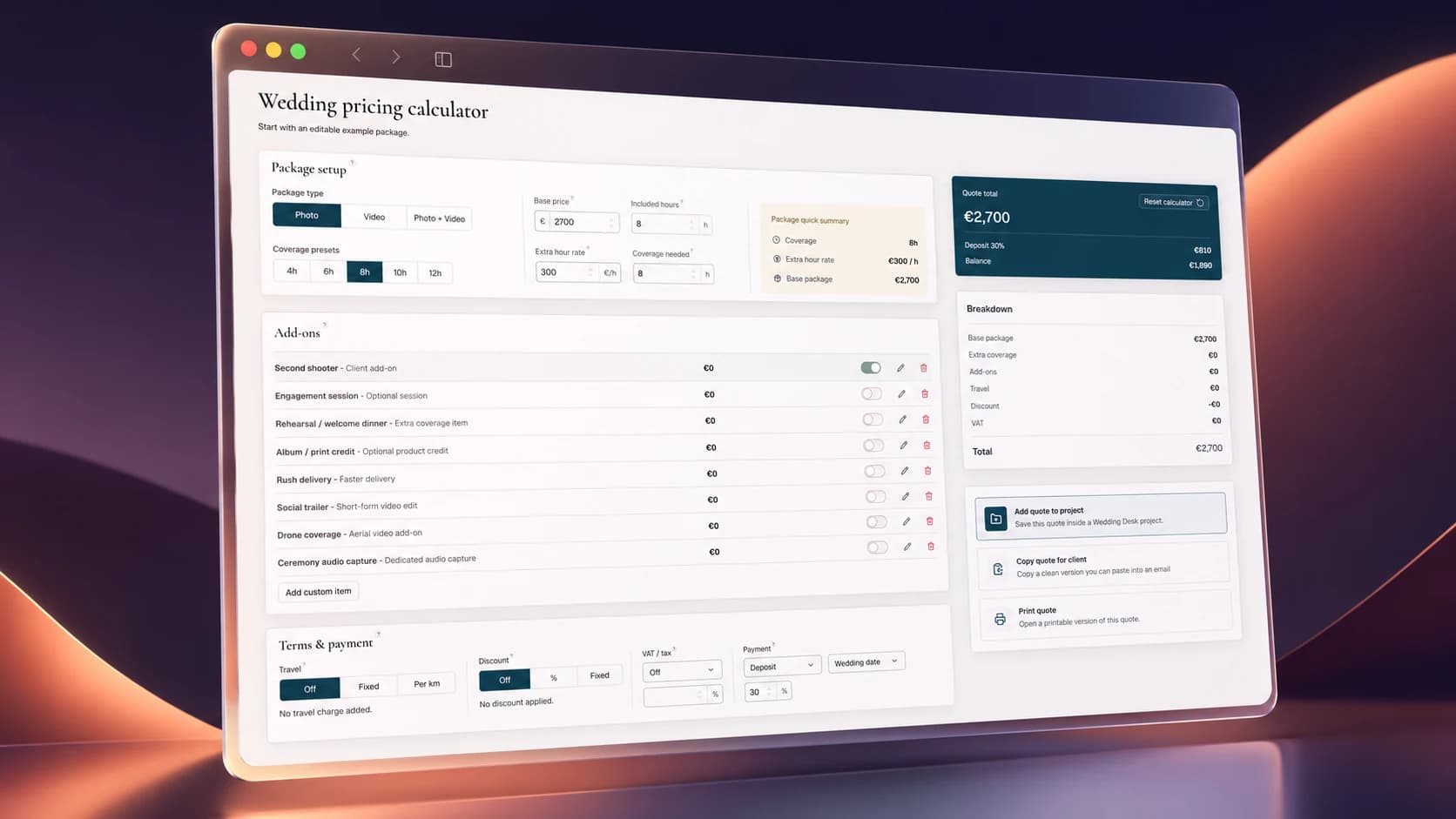
Pricing a wedding shoot sounds simple until you try to include everything that actually belongs to the job.
There is the coverage itself, but also editing, travel, equipment, a second shooter, optional extras, tax and all the smaller costs that are easy to forget. A quote can look perfectly reasonable until you work out how many hours and expenses are hiding behind it.
As a useful extra to Wedding Desk, I have added a free wedding pricing calculator.
It is completely free to use and will remain free. You do not need an account, there is no trial period and the actual calculation is not a reduced demo of the version inside Wedding Desk.
Building the quote
You can use the calculator for photography, videography or a combined photo and video package.
Start with an empty calculation or use one of the coverage presets as a quick starting point. You can then set the base price, included hours, required coverage and the price of additional hours.
The calculator automatically adds extra coverage when the wedding lasts longer than the hours included in the package.
You can also add common extras such as:
Second shooters, engagement sessions, rehearsal coverage, albums, rush delivery, social trailers, drone coverage and ceremony audio.
Every item can be switched on or off, renamed and given its own price. You can charge a fixed amount, per hour, per item or by distance. Custom items can be added when your service does not fit one of the existing options.
Travel, discounts, tax and payments
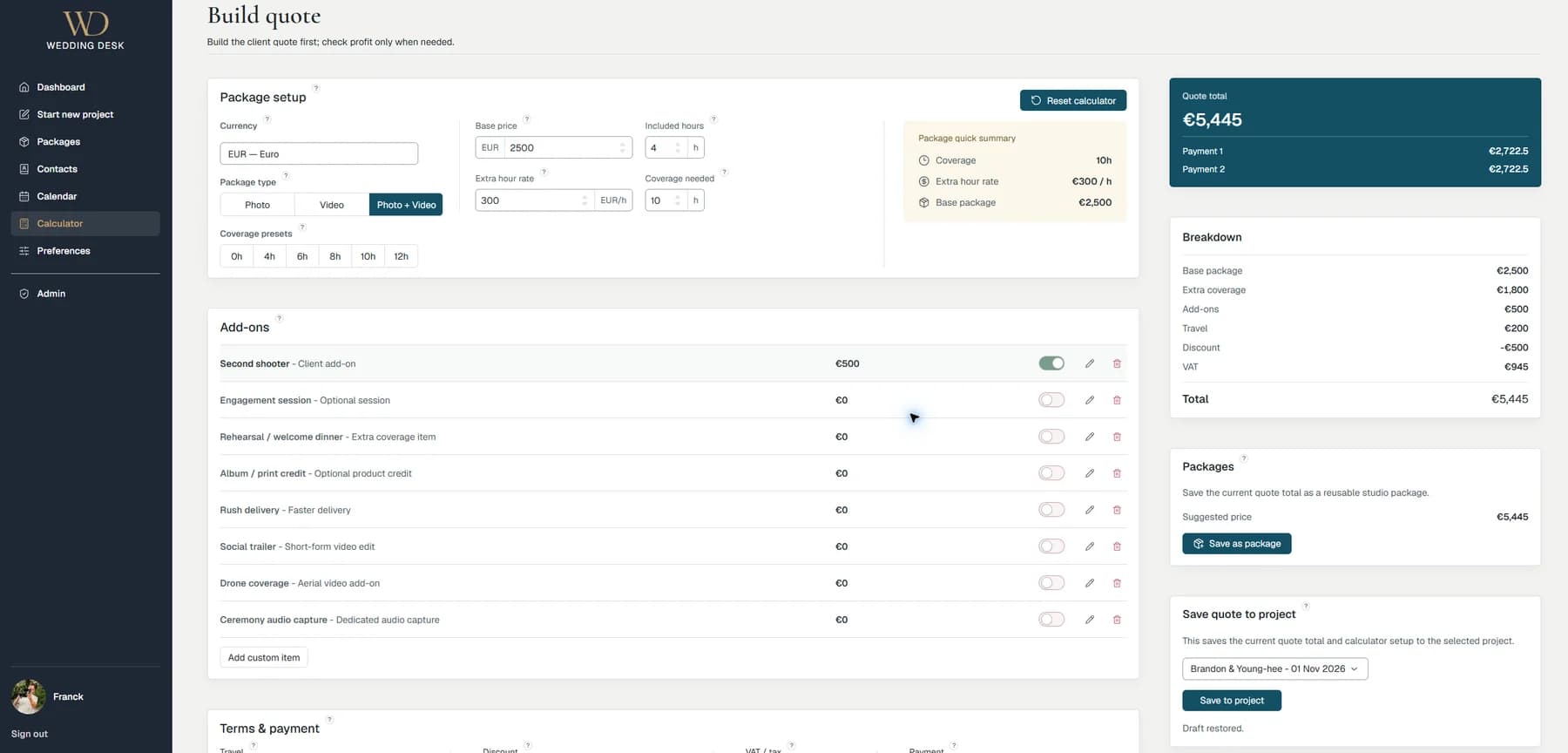
Travel can be disabled, entered as a fixed fee or calculated by distance.
Discounts can be a percentage or a fixed amount. VAT or another form of tax can be turned off, added on top of the price or treated as already included.
You can also divide the quote into a deposit and remaining balance, or two equal payments. This only calculates the payment structure. It does not collect money or create an invoice.
The calculator supports all current official currencies rather than being limited to euros or dollars. It normally starts with the currency that matches your browser region, but you can search for and select another one at any time.
That also means it handles the differences between currencies properly. Some use two decimal places, some use none and a few use three. The calculator accounts for that instead of merely replacing one symbol with another.
The profit check
The client price is only half of the calculation.
The optional profit check lets you enter the time you expect to spend on editing, administration, preparation and travel. You can also include costs such as equipment hire, a second shooter, general overhead and other direct expenses.
Add your desired hourly value and target margin, and the calculator shows the estimated internal cost, minimum recommended price, expected profit, profit per hour and actual margin.
It does not decide what you should charge. It simply makes the consequences of your price more visible.
What you can do without an account
The public calculator remembers the current calculation in your browser, so you can leave the page and return to it later. Nothing is attached to an account, however, so it will not automatically appear on another device.
Once the calculation is ready, you can copy a clean summary into an email or document. You can also print the quote and its breakdown.
That is where the public version ends. It calculates, copies and prints the result, but it does not save the quote inside a wedding project.
Using it inside Wedding Desk
Inside Wedding Desk, the same calculator becomes part of the project workflow.
You can save unfinished calculations as drafts, connect a completed quote to a wedding project and keep the full calculation together with the rest of the project information.
A finished total can also be saved as a reusable studio package. That is useful when you regularly work with several standard packages but still want to adjust each quote for the actual wedding.
The public calculator gives you the complete calculation. A Wedding Desk account adds the ability to keep and reuse the result.
The Wedding Desk calculator guide explains how the calculator works and how quotes can be used inside a project.
Wedding Desk is still in pre-beta, and I am currently looking for wedding photographers and videographers who are interested in testing it. The Add quote to project button currently opens the mailing list, where you can register for updates and possible beta invitations.
For everyone else, the calculator remains available without an account: